Choosing the right hosting plan is an important decision when launching or growing a business website. Your hosting environment affects how your website is delivered to visitors, how resources are allocated, how data is protected and how easily your website can handle growth.
However, the most expensive hosting plan is not always the best option. A small business website with a few service pages may have very different requirements from an ecommerce store, a high-traffic blog or a web application with user accounts.
The best web hosting for small business depends on your website's technology, traffic, resource requirements, budget and technical support needs.
For example, a simple WordPress website may run comfortably on a suitable shared or managed hosting plan. A growing ecommerce website or custom application may need more resources, stronger isolation or greater server configuration flexibility.
In this guide, you will learn about the main types of web hosting, the features worth comparing and how to choose a hosting solution that meets your current needs without creating unnecessary costs.
What Is Website Hosting?
Web hosting is a service that stores the files, application code and other resources required to make a website available online.
When someone visits your domain, their browser requests content from the server or hosting platform responsible for delivering your website.
Depending on the hosting service, the provider may manage server hardware, networking, security updates, backups, control panels and technical support. The exact responsibilities vary between hosting products.
A reliable hosting setup should provide suitable resources, secure configuration, predictable performance and a recovery plan for problems.
Hosting is only one part of website performance. Application code, image sizes, caching, database queries, third-party scripts and network conditions can also affect how quickly a page loads.
Types of Web Hosting for Businesses
Understanding the main hosting options makes it easier to compare plans.
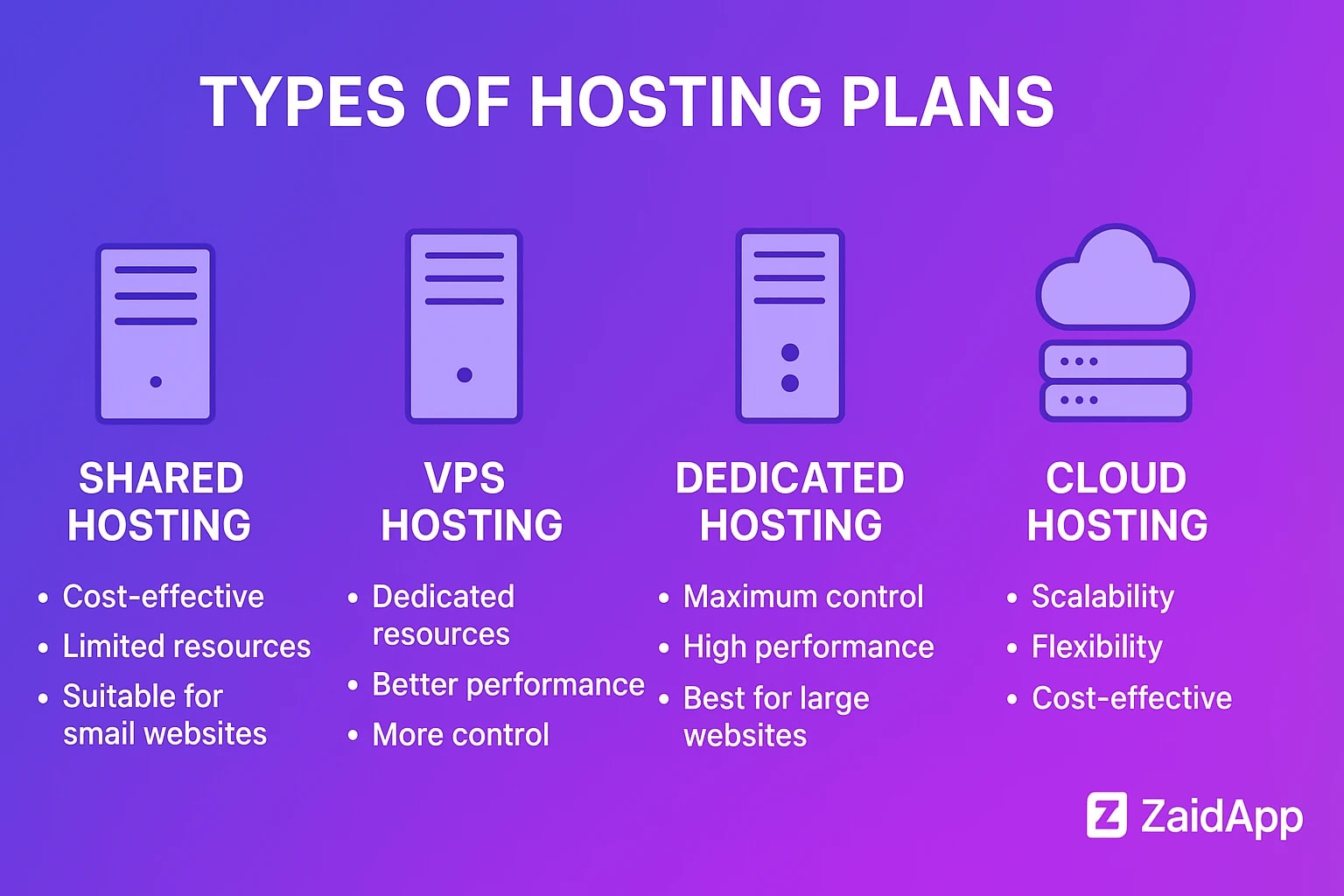
1. Shared Hosting
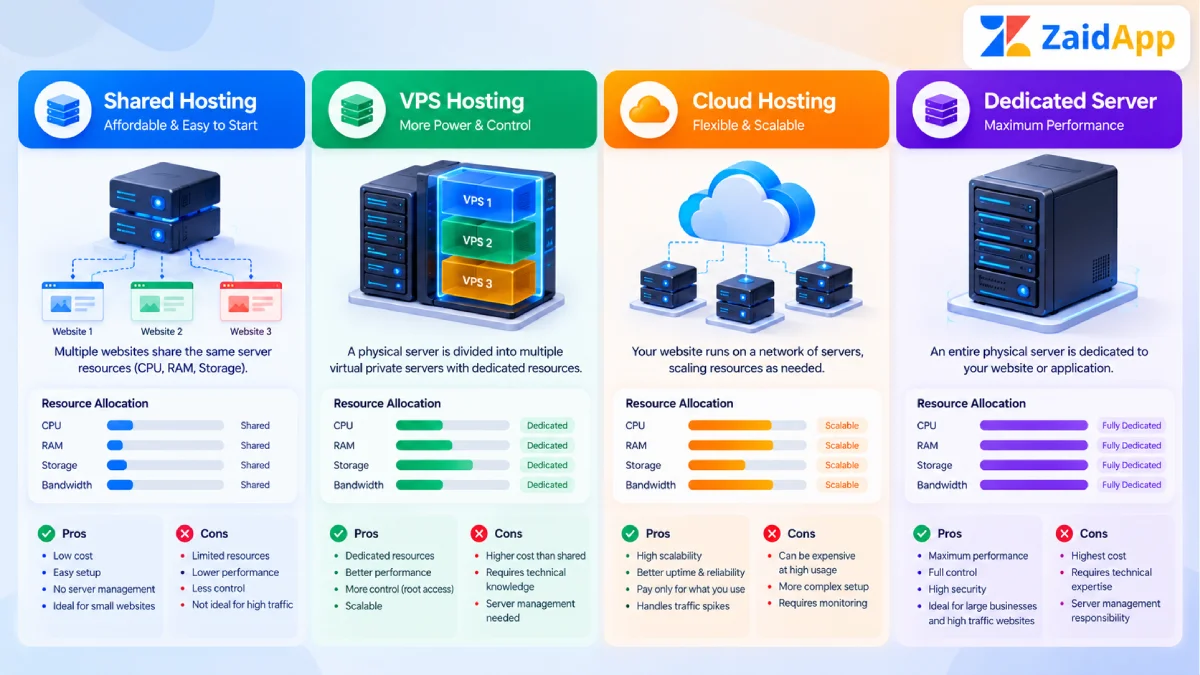
Shared hosting places multiple websites on the same server and allows them to share server resources.
It is often suitable for small informational websites, basic blogs and businesses with modest resource requirements.
Advantages:
Usually affordable to start.
Often includes a hosting control panel.
May include email, SSL and basic backups.
Requires relatively little server administration.
Limitations:
Resource availability can be restricted.
Performance may vary with server conditions.
Advanced server configuration may not be available.
Some plans impose strict usage limits.
Shared hosting can be a sensible starting point when the website is straightforward and the plan meets its technical requirements.
2. VPS Hosting
A virtual private server (VPS) provides a virtualised server environment with allocated resources and greater configuration control than typical shared hosting.
VPS hosting can be suitable for growing websites, custom applications, APIs and businesses that need more control over their software environment.
Advantages:
More control over server configuration.
Allocated virtual resources.
Greater flexibility for application deployment.
Potential to scale resources as requirements change.
Limitations:
Requires server administration unless managed.
Security, updates and backups may be your responsibility.
Incorrect configuration can cause downtime or vulnerabilities.
Additional resources and support may increase costs.
A VPS is not automatically faster than every shared hosting plan. Actual performance depends on the provider, configuration, workload and available resources.
3. Cloud Hosting
Cloud hosting uses cloud infrastructure to run websites and applications. Depending on the platform, resources may be distributed across multiple systems, and capacity can be adjusted as demand changes.
It can suit businesses that need flexible infrastructure or anticipate changing traffic levels.
Advantages:
Flexible resource options.
Multiple deployment and scaling approaches.
Integration with cloud databases, storage and monitoring services.
Potential for resilient architectures when designed appropriately.
Limitations:
Pricing can be more complex.
Configuration may require technical knowledge.
Poor resource management can increase costs.
High availability depends on the architecture rather than the cloud label alone.
Before choosing cloud hosting, understand the billing model, backup options, resource limits and support arrangements.
4. Managed Hosting
Managed hosting is a service in which the provider handles some or many technical responsibilities, depending on the plan.
These may include server updates, backups, monitoring, security maintenance and technical support.
Managed hosting can be useful for businesses that prefer to focus on their operations rather than server administration.
However, the term “managed” varies by provider. Confirm exactly which tasks are included and which remain your responsibility.
5. Dedicated Server Hosting
Dedicated hosting provides a physical server allocated to a single customer.
It may suit resource-intensive applications, specialised workloads or businesses that require specific infrastructure configurations.
Dedicated servers usually involve greater cost and operational responsibility than basic hosting. They are not necessary for every business website.
Which Hosting Type Is Right for You?
Hosting type | Potentially suitable for | Main consideration |
|---|---|---|
Shared hosting | Small websites and basic blogs | Resource and configuration limits |
VPS hosting | Growing websites and custom applications | Server management requirements |
Cloud hosting | Applications with flexible resource needs | Pricing and architecture |
Managed hosting | Businesses needing technical assistance | Scope of included management |
Dedicated server | Resource-intensive or specialised workloads | Cost and administration |
These are general starting points. Choose according to actual requirements rather than website type alone.
How to Choose the Right Hosting Plan
Step 1: Understand Your Website Requirements
Start by identifying the software your website uses.
A WordPress website may require a compatible PHP and database environment. A Next.js application may need a platform that supports its rendering strategy, runtime requirements and deployment architecture. A static website may have simpler hosting needs.
Check the application's official requirements and confirm that the hosting provider supports them.
Also consider whether you need databases, background jobs, scheduled tasks, file uploads, APIs or server-side processing.
Step 2: Estimate Traffic and Resource Usage
Consider your current traffic and likely growth.
A simple brochure website may use relatively few server resources, while an ecommerce store or dynamic application may need more CPU, memory, database capacity and storage.
Review the hosting plan's actual limits rather than relying only on broad labels such as “unlimited.” Providers may apply fair-use policies, inode limits, bandwidth restrictions or other resource constraints.
If possible, use analytics and server monitoring to understand real usage before upgrading.
Step 3: Compare Performance
A hosting provider should offer suitable resources and reliable network connectivity for your audience.
Review available performance information, server locations, caching options and resource limits. If your customers are concentrated in a particular region, server location and content delivery network (CDN) configuration may influence latency.
Remember that hosting is not the only factor in website speed. Optimised images, efficient application code and caching are also important.
Use Google PageSpeed Insights to assess your website's performance and identify issues that may exist beyond the hosting environment.
Step 4: Evaluate Security Features
Business websites may collect enquiries, customer details or payment-related information. Security should therefore be part of the hosting decision.
Check for:
SSL/TLS support for HTTPS.
Regular security updates.
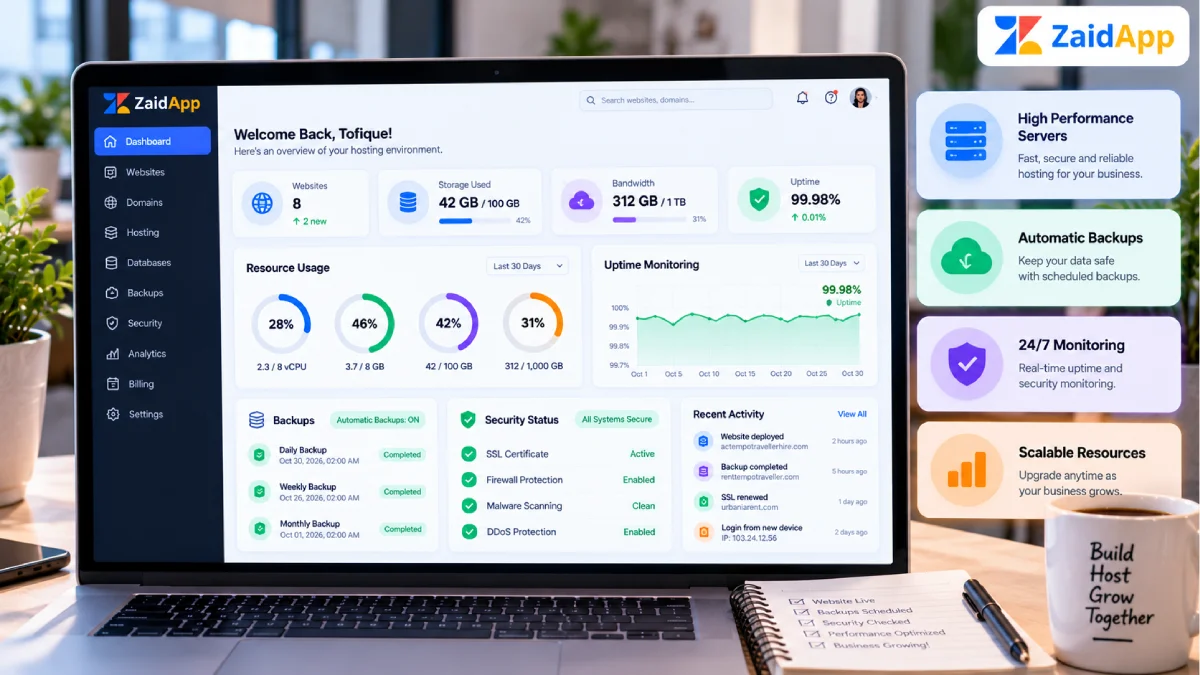
Backup frequency and retention.
Access controls and authentication options.
Malware detection or security monitoring where offered.
Network protection and incident support.
A clear process for restoring data.
An SSL certificate encrypts data in transit but does not protect an entire website by itself. Application security, strong passwords, software updates and suitable permissions remain important.
For ecommerce and other sensitive applications, review the full security requirements before selecting a plan.
Step 5: Check Backup and Recovery Options
A backup is useful only if it can be restored successfully.
Find out whether backups are automatic, how long they are retained, whether they are stored separately from the production environment and whether restoration incurs a fee.
For important business websites, consider maintaining an independent backup where appropriate. Test restoration procedures periodically so your team knows how to recover from accidental deletion, software failure or a security incident.
Step 6: Review Support and Management
Technical support becomes especially important when your website is unavailable or a deployment fails.
Check support hours, available communication channels, response commitments and the type of problems the provider will handle.
For managed hosting, clarify whether support includes application debugging, database issues, server configuration, migrations or only infrastructure-level assistance.
Choose a plan that matches your team's technical skills and the level of support your business requires.
Step 7: Calculate the Total Cost
Compare more than the introductory price.
Include renewal rates, taxes, domain costs, backups, email services, SSL options, additional storage, resource upgrades and migration fees.
For VPS or cloud hosting, also consider administration time, monitoring, software licences and unexpected resource usage.
A low-priced plan can be good value when it meets your requirements. A more expensive plan is worthwhile only when its additional features or support provide a meaningful benefit.
Essential Hosting Features for Business Websites
Before purchasing, use this checklist to compare providers.
Reliability: Review uptime information and understand how downtime is handled. No provider can guarantee that every component will remain available at all times.
Scalability: Check whether you can upgrade resources or move to another plan without excessive disruption.
Backups: Confirm frequency, retention, storage location and restoration procedures.
Security: Review access controls, updates, HTTPS support and the provider's security responsibilities.
Compatibility: Ensure the hosting environment supports your CMS, framework, runtime and database requirements.
Support: Understand which technical problems the provider will investigate.
Monitoring: Look for useful information about resource consumption, errors and service availability.
Migration: Confirm whether assistance is available if you move from another provider.
Email: If you need professional email addresses, check whether email hosting is included or should be purchased separately.
Data portability: Understand how to export your website files and databases if you later change providers.
For further reading, explore ZaidApp's guides to cloud, VPS and shared hosting and managed hosting.
Common Hosting Mistakes to Avoid
Choosing the Cheapest Plan Without Checking Limits
Low prices can be attractive, but a plan may lack essential resources, backups or technical support. Review the full specification before buying.
Paying for More Resources Than You Need
A dedicated server or large cloud instance may be unnecessary for a low-traffic informational website. Start with an appropriate plan and upgrade when measurements justify it.
Ignoring Renewal Prices
Introductory discounts may not reflect the long-term cost. Compare the renewal price and additional fees before committing.
Assuming Backups Are Guaranteed
Backup policies vary. Confirm that backups are actually included and that you can restore them when necessary.
Ignoring Application Optimisation
Upgrading hosting may not fix inefficient queries, oversized images or excessive JavaScript. Diagnose performance before spending more on infrastructure.
Overlooking Maintenance Responsibilities
A hosting provider may manage infrastructure without maintaining your website's application code. Clarify who handles updates, security patches and application troubleshooting.
Failing to Plan for Growth
Your requirements may change as traffic, content and functionality increase. Understand the upgrade process and potential migration requirements before your website becomes difficult to move.



Comments
No comments yet. Be the first to comment!