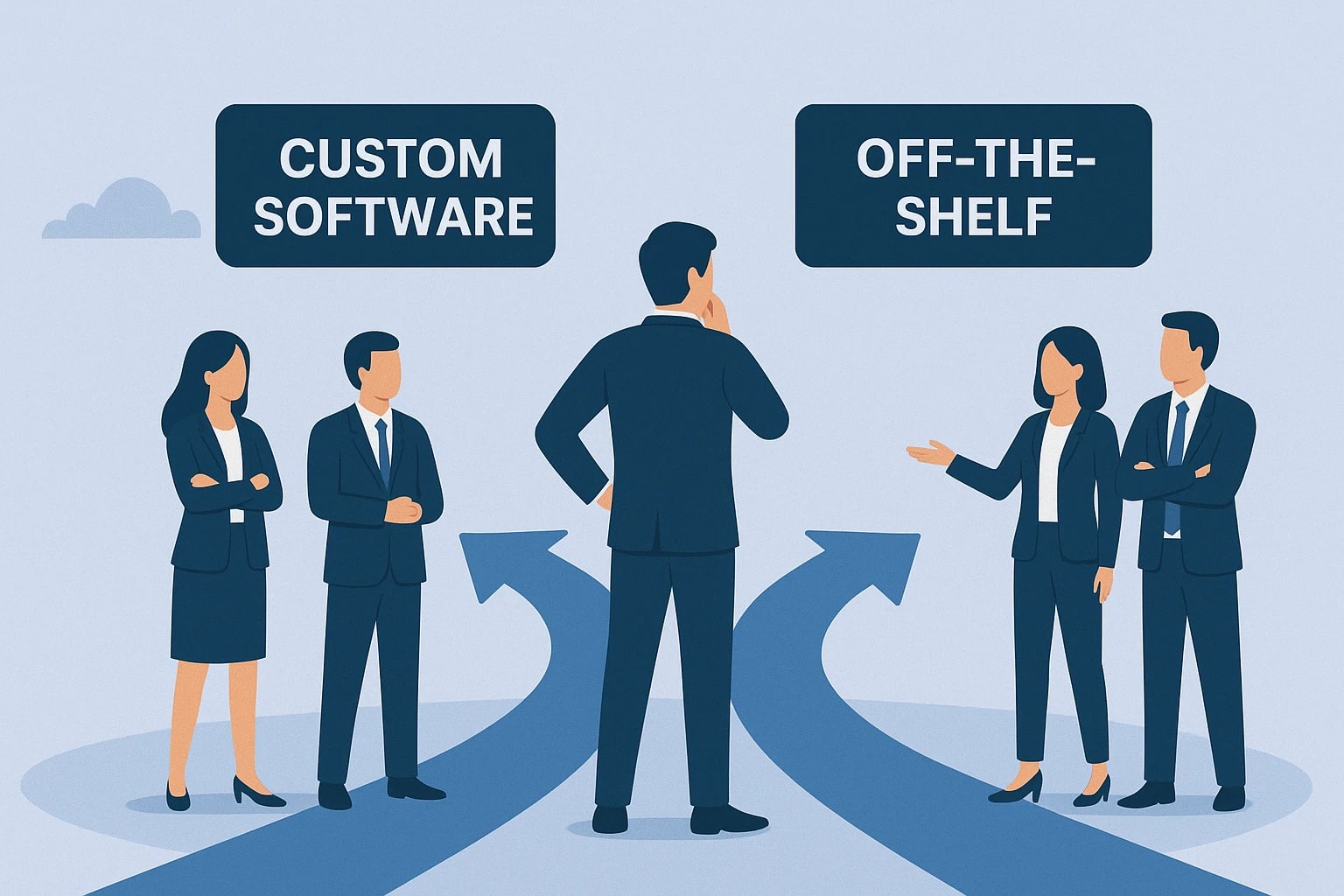
Choosing the right software can influence how efficiently a business operates, manages customers and grows over time. Some businesses use ready-made applications to manage everyday tasks, while others need software designed around their specific workflows.
This creates an important decision: custom software development vs off-the-shelf software — which option is right for your business?
Off-the-shelf software is developed for a broad audience and is usually available through a subscription or licence. Custom software is built or significantly tailored to meet the requirements of a particular organisation.
For example, a small company may use an existing accounting application to manage invoices. A growing service business with complex enquiry tracking, custom approval processes and multiple integrations may eventually need a tailored customer relationship management (CRM) system.
Neither option is automatically better. The right choice depends on your budget, business processes, required features, integration needs and long-term plans.
In this guide, we compare custom and ready-made software, explain their advantages and limitations, and help you decide which approach makes sense for your business.
What Is Custom Software Development?
Custom software development is the process of designing, building, testing and maintaining software for a specific business or group of users.
Instead of adapting every process to a general-purpose application, a business can develop software around its own workflows and requirements.
Examples include:
A CRM tailored to a company's sales process.
An HR management system for employee records, leave and approvals.
A travel agency management platform for enquiries, itineraries and bookings.
A custom inventory system connected to existing business applications.
A client portal that displays project updates and documents.
Custom software can be built from the ground up or developed by extending an existing framework or platform. The appropriate approach depends on the project's complexity and requirements.
The main advantage is flexibility. Businesses can prioritise specific features and integrations rather than relying entirely on a vendor's standard product.
However, custom development requires planning, testing, ongoing maintenance and a realistic budget. The business is responsible for ensuring that the software remains secure, reliable and compatible with its changing needs.
What Is Off-the-Shelf Software?
Off-the-shelf software is a ready-made application designed to serve the needs of many users or businesses.
Examples include accounting tools, project management platforms, email marketing applications, customer support systems and standard office software.
These products generally provide established features and may offer subscription plans, documentation, support and integrations.
For many businesses, this is a practical starting point because the software can often be configured and used without commissioning a complete development project.
However, ready-made products have limitations. Businesses may need to adjust their processes to match the application's features, pay for higher-tier plans or use additional tools to fill functionality gaps.
Vendor pricing, product features, data policies and support arrangements can also change, so businesses should review the terms before committing.
Custom Software vs Off-the-Shelf Software
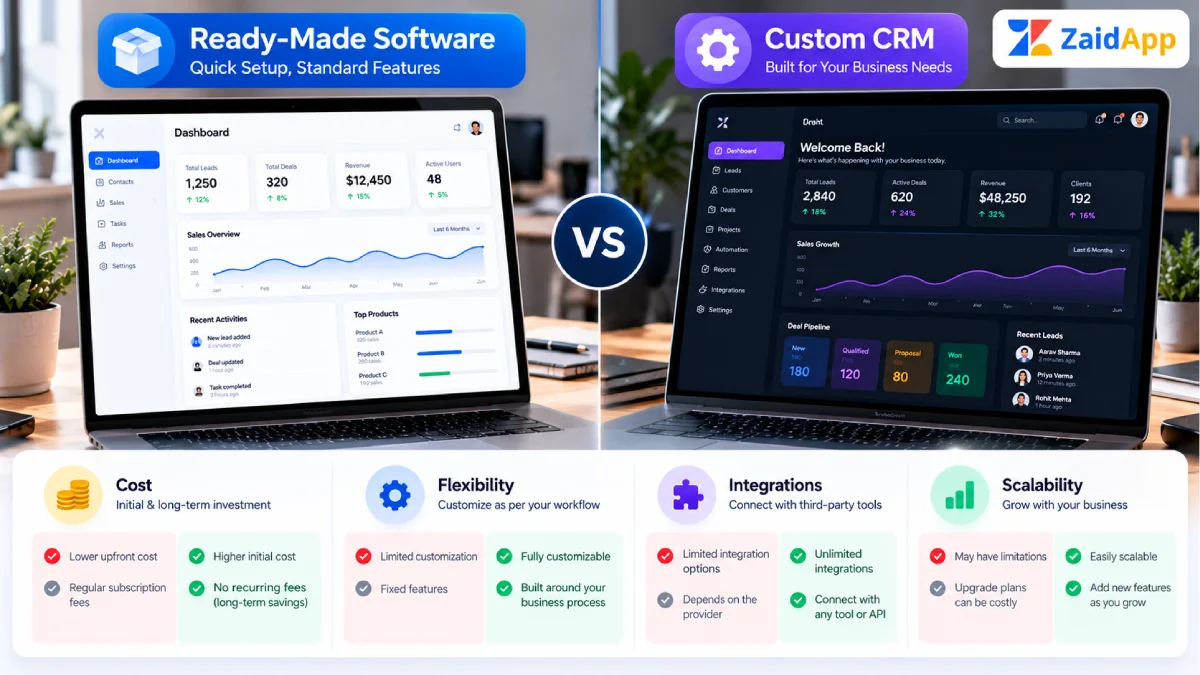
The following table summarises the main differences.
Factor | Custom software | Off-the-shelf software |
|---|---|---|
Initial investment | Usually higher | Often lower to start |
Implementation | Requires planning and development | Often faster to deploy |
Customisation | Can be designed around specific requirements | Limited to available settings and extensions |
Scalability | Can be planned around future requirements | Depends on product capabilities and plans |
Maintenance | Requires an agreed maintenance process | Often managed partly or fully by the vendor |
Integrations | Can be built for specific systems | Depends on supported integrations and APIs |
Ownership and control | Depends on the contract and intellectual property terms | Governed by vendor licensing and terms |
Best suited for | Distinctive workflows and specialised requirements | Common business needs and standard processes |
The exact differences depend on the software, contract and implementation. Custom software does not automatically cost less over time, and off-the-shelf software is not always cheaper when multiple subscriptions, add-ons and workarounds are included.
Advantages of Custom Software Development
1. Designed Around Your Business
Custom software can reflect the way your organisation actually operates.
For example, a travel company may need a system that connects customer enquiries, package quotations, itinerary management, supplier information and follow-up reminders. A tailored application can organise these workflows within a single interface.
2. Greater Flexibility
Your team can prioritise the features that matter most rather than waiting for a general-purpose vendor to introduce them.
The development roadmap can evolve as the business learns what users need, provided the budget and architecture support those changes.
3. Integration With Existing Systems
Custom software may be developed to connect with existing APIs, databases, payment services or internal tools.
This can reduce repetitive data entry and improve coordination between business processes. However, integration feasibility depends on the technical capabilities and access policies of the systems involved.
4. Control Over Product Development
Depending on the agreement, a business may have greater control over the software's roadmap, user experience and deployment arrangements.
Ownership of source code, intellectual property and data rights should be defined clearly in the contract rather than assumed.
5. A Potential Long-Term Strategic Advantage
When software supports a distinctive business process, a tailored system may help the company deliver services more efficiently or provide a better customer experience.
The benefit depends on successful implementation and continued maintenance. Building custom software solely to appear innovative does not guarantee a competitive advantage.
Advantages of Off-the-Shelf Software
1. Faster Implementation
Ready-made applications can often be configured and deployed much faster than a fully custom system.
This is valuable when a business needs to solve a common problem quickly.
2. Lower Initial Cost
Many products offer monthly or annual subscriptions, making it possible to start without funding a large development project.
Businesses should still calculate the total cost of ownership, including additional users, integrations, upgrades, training and subscription renewals.
3. Established Features
Mature products may provide features such as reporting, permissions, integrations and customer support that would take time to develop independently.
Check whether these features are available in the chosen plan and whether they meet your operational requirements.
4. Vendor Maintenance
The provider may handle hosting, updates, bug fixes and infrastructure maintenance, depending on the service.
This can reduce the technical responsibilities of the business, although the company still needs to review security settings, access permissions, data policies and vendor reliability.
5. Easier Initial Testing
A business can often trial an existing application before making a long-term commitment. A pilot helps determine whether the product fits the workflow without commissioning a full custom build.
Disadvantages of Both Approaches
Custom software involves development risk, project management, testing and ongoing maintenance. Requirements can change during development, and poorly planned projects can exceed their budgets or timelines.
Off-the-shelf software may impose feature limitations, recurring subscription costs, vendor dependency and constraints on data portability. A product may also change its pricing, support policy or feature set.
The best decision is based on the full business requirement rather than the number of features advertised by either option.
How to Choose the Right Software for Your Business
Use the following process to make a practical decision.
Step 1: Identify the Business Problem
Start by describing the problem you need to solve.
Are employees repeating the same data entry? Are customer enquiries getting lost? Is reporting too slow? Do existing applications fail to support an essential workflow?
Define the desired outcome before choosing a product or development approach.
Step 2: List Essential Features
Separate essential requirements from optional features.
For example, a CRM may need contact management, enquiry tracking, user permissions, reminders and reporting. Advanced automation or custom dashboards might be introduced later.
This helps prevent overspending on unnecessary functionality.
Step 3: Compare Total Cost of Ownership
Estimate the cost over a realistic period, not just the initial purchase price.
For off-the-shelf software, include subscriptions, user licences, add-ons, integration fees, training and possible migration costs.
For custom software, consider discovery, design, development, testing, deployment, hosting, security updates, support and future enhancements.
Obtain written estimates and clarify what is included in each proposal.
Step 4: Review Integration and Security Requirements
Check whether the software can connect to the systems your business already uses.
Review authentication, access permissions, data backup, privacy obligations, vendor security practices and recovery procedures.
For custom projects, define security and maintenance responsibilities before development begins.
Step 5: Consider Future Growth
Think about how your requirements may change as your business expands.
Will you need more users, additional branches, new integrations, more complex reporting or different approval workflows?
Choose an approach that can support realistic future requirements without paying for unnecessary complexity today.
Step 6: Test Before Committing
If an existing product offers a trial or demonstration, test it using realistic business scenarios.
For custom development, consider starting with a clearly scoped minimum viable product (MVP) that solves the most important problem. Validate it with real users before investing in a larger feature set.
When Should a Business Invest in Custom Software?
Custom software may be worth evaluating when standard applications cannot support important business requirements.
Examples include:
Complex workflows: Your business follows a specialised process that generic products cannot handle efficiently.
Multiple integrations: You need data to move reliably between several applications or internal systems.
Repeated manual work: Employees spend significant time transferring information or performing repetitive tasks that could be automated.
Specific reporting requirements: Standard reports cannot provide the operational information your team needs.
A distinctive customer experience: Your business requires a customer portal, booking process or service workflow that standard products cannot deliver adequately.
Growing operational complexity: Existing tools have become difficult to coordinate as the organisation has expanded.
Even in these cases, compare custom development with configurable products and existing integrations first. The best solution may be a hybrid approach that combines a ready-made platform with selected custom features.
Common Mistakes to Avoid
Choosing Software Based Only on Price
A low starting price may hide additional subscriptions, integration costs or operational limitations. Compare the total cost and expected business value.
Building Too Many Features Initially
A large custom project can become expensive and difficult to manage. Prioritise the features that solve the most important problem and validate them before expanding.
Ignoring Employee Adoption
Even capable software can fail if employees find it difficult to use. Involve the people who will use the system and provide appropriate training.
Overlooking Maintenance
Software needs updates, backups, security monitoring and support. Define these responsibilities before choosing a solution.
Assuming Custom Software Is Always Better
Custom development makes sense when its benefits justify the investment. A ready-made product may be more practical for common tasks such as invoicing, email marketing or project tracking.
Conclusion
Choosing between custom software development and off-the-shelf software depends on your business needs, budget, workflows and long-term objectives.
Ready-made software can be an efficient solution for common requirements because it is often faster to deploy and may have a lower initial cost. Custom software can provide greater flexibility when a business needs specialised workflows, integrations or a tailored customer experience.
Start by identifying the problem, documenting essential features and comparing total costs. Test existing products where possible, and consider custom development when the expected business benefits justify the investment.
The right software should solve a real problem, support your team and remain practical to maintain as your business grows.
Looking for software tailored to your business? Explore ZaidApp's software development services to learn about custom applications designed around business requirements. You can also review our website development services for web-based business solutions.



Comments
No comments yet. Be the first to comment!