When customers need a product or service, many start by searching on Google. If your business website does not appear for relevant searches, potential customers may discover your competitors instead.
The good news is that you do not need to be a technical expert to start improving your website's search visibility.
SEO for small business owners involves making your website easier for search engines to discover, understand and present to people looking for your products or services. It includes useful content, relevant keywords, a clear website structure, local business information and a positive user experience.
SEO is not an instant solution. Results depend on your industry, competition, website condition and the quality of your work. However, consistent improvements can help your business build a stronger online presence over time.
This guide explains ten practical SEO steps you can start implementing without advanced technical knowledge.
What Is SEO and Why Does It Matter?
Search engine optimization (SEO) is the process of improving a website's visibility in unpaid search results for relevant queries.
For a small business, SEO can help you:
Reach people actively searching for your services.
Improve the discoverability of important service pages.
Build trust through useful and informative content.
Attract relevant website visitors over time.
Support local discovery for location-based businesses.
Understand which pages and search queries generate interest.
SEO does not guarantee a specific ranking, amount of traffic or number of enquiries. Its value comes from improving the likelihood that the right people can find and use your website.
10 Simple SEO Tips for Small Business Owners
1. Choose Relevant Keywords for Your Business
Keywords are the words and phrases people enter into search engines. Choosing relevant terms helps you create pages that match what potential customers are looking for.
Start by thinking about your customers' needs. What service do you provide? Where do you operate? What problems do you solve?
For example, a web design company might target phrases such as:
Website design services for small businesses
Ecommerce website development
Website maintenance services
Website development company in Delhi
Use specific phrases that accurately describe your services. A broad term may attract a large audience, but a more specific phrase can better reflect a searcher's intent.
What to do:
List your main products and services.
Identify the questions customers ask before purchasing.
Research relevant search terms using Google Search Console and keyword research tools.
Assign a primary topic to each important page.
Use your chosen terms naturally in headings, page titles and body content.
Avoid forcing the same keyword into every paragraph. Write for people first and make the page's subject clear.
2. Optimize Your Website Titles and Meta Descriptions
Your page title helps search engines and visitors understand what a page covers. The meta description can provide a useful summary that may be displayed in search results.
Each important page should have a distinctive, descriptive title and a relevant summary.
For example:
SEO title: Website Maintenance Services for Small Businesses
Meta description: Keep your business website secure, updated and running smoothly with professional website maintenance services.
These are examples rather than guaranteed search-result displays. Google may generate a different title or snippet based on the query and page content.
What to do:
Give every important page a unique title.
Describe the page accurately.
Include your main topic naturally.
Write a useful meta description.
Avoid repetitive titles across multiple pages.
If you use WordPress, an SEO plugin such as Rank Math can help you manage titles, descriptions and other page-level settings.
3. Create Helpful Content for Your Customers
Content helps search engines understand your expertise while giving potential customers information they need to make decisions.
Instead of publishing articles only to include keywords, answer real questions related to your products and services.
For example, a web development company could publish guides about website costs, choosing a CMS, improving website speed or preparing for an ecommerce launch.
Useful content should:
Answer the main question clearly.
Provide accurate and actionable information.
Use headings to organize important ideas.
Include examples where they help understanding.
Link to relevant service pages and related articles.
Be reviewed and updated when necessary.
Avoid publishing multiple articles that cover essentially the same topic without offering distinct value.
Explore ZaidApp's guide to conducting a website SEO audit for a practical way to review your existing website.
4. Improve Your Website's User Experience
A website should be easy to navigate, understand and use on mobile devices.
Visitors should quickly understand what your business offers and how to contact you. Confusing menus, intrusive pop-ups, broken links and difficult forms can discourage enquiries.
Review these elements:
Navigation menus are clear and consistent.
Important services are easy to find.
Text is readable on mobile screens.
Contact details are accessible.
Forms request only necessary information.
Buttons clearly communicate their purpose.
Pages do not contain broken links or missing content.
A good user experience supports your business goals and helps visitors access the information they need.
5. Make Your Website Mobile-Friendly
Many people search for businesses using smartphones. Your website should work well across different screen sizes.
Check your website on an actual mobile device, not just a desktop browser.
Pay attention to:
Responsive page layouts.
Readable text without unnecessary zooming.
Buttons that are easy to tap.
Images that fit their containers.
Forms that are simple to complete.
Fast, stable page loading.
You can use Google's PageSpeed Insights to review performance and identify opportunities for improvement.
For additional guidance, read 10 Proven Ways to Improve Website Speed and Core Web Vitals.
6. Set Up Google Search Console
Google Search Console is a free service that helps website owners understand how their sites perform in Google Search and identify certain technical issues.
It is one of the most useful tools for business owners beginning their SEO journey.
With Search Console, you can review:
Search queries that show your website.
Clicks and impressions from Google Search.
Average search position metrics.
Indexing and crawling reports.
Sitemap submission status.
Certain page experience and enhancement reports, when applicable.
How to get started:
Open Google Search Console.
Add your website as a property.
Verify ownership using one of the supported methods.
Submit your XML sitemap if appropriate.
Review the Performance and Page Indexing reports.
Investigate important issues affecting your key pages.
Remember that submitting a sitemap does not guarantee indexing. Search Console reports can also take time to reflect changes.
If a page is reported as “Crawled – currently not indexed,” inspect its content quality, canonical URL, accessibility and internal links rather than repeatedly requesting indexing without addressing possible problems.
7. Optimize Your Google Business Profile
If your business serves customers in a particular city or region, a Google Business Profile can help people discover your business through Google Search and Maps.
Complete your profile with accurate information.
Include:
Your correct business name.
The appropriate primary and additional categories.
Accurate contact information.
Current business hours.
Relevant services.
Authentic business photos.
A website link.
Genuine customer reviews and professional responses.
Businesses that operate from a service area should follow Google's eligibility and address-display guidelines. Do not create misleading locations or duplicate profiles to target additional areas.
Local search visibility depends on several factors, including relevance, distance and prominence. No profile setup can guarantee a particular position.
Read ZaidApp's Local SEO Guide for more detailed local optimization advice.
8. Build a Clear Internal Linking Structure
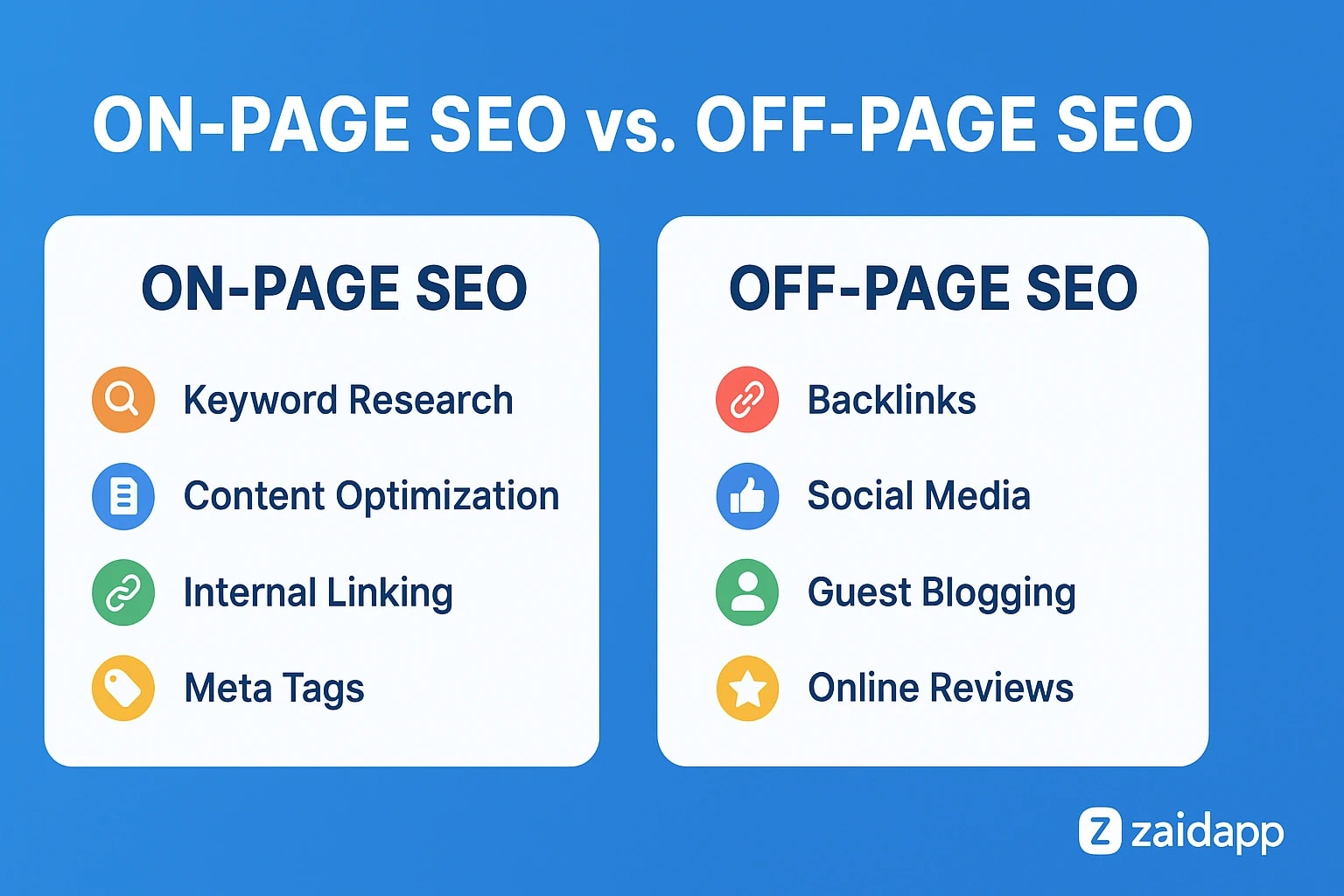
Internal links connect one page on your website to another. They help visitors discover related information and help search engines understand the relationships between pages.
For example, a blog post about SEO basics might link to your SEO audit guide, while a relevant section could link to your digital marketing services page.
Good internal linking practices include:
Link to pages that genuinely help readers.
Use descriptive anchor text.
Link from relevant articles to important service pages.
Make sure important pages are reachable through navigation or other internal links.
Fix broken internal links.
Avoid adding links where they do not make sense.
Do not use the same exact-match keyword as anchor text in every link. Natural, descriptive wording is generally more useful to readers.
9. Earn Relevant, Trustworthy Backlinks
Backlinks are links from other websites to yours. Relevant editorial links can help search engines discover pages and may contribute to understanding a website's reputation.
Focus on earning links through useful work rather than purchasing large numbers of low-quality links.
Practical approaches include:
Publishing original research or useful resources.
Contributing expert commentary to relevant publications.
Building relationships with legitimate industry organizations.
Creating guides that other websites may naturally reference.
Participating in relevant professional communities.
Listing your business in reputable directories when appropriate.
Avoid link schemes, automated link spam and paid links intended to manipulate search rankings. If a sponsorship or paid placement includes a link, follow Google's applicable link qualification guidance.
Backlinks are only one part of SEO. Strong content, accessibility and relevance remain important.
10. Track Results and Improve Regularly
SEO works best as an ongoing process rather than a one-time checklist.
Set aside time each month to review your website's performance and identify the pages that need attention.
Track metrics such as:
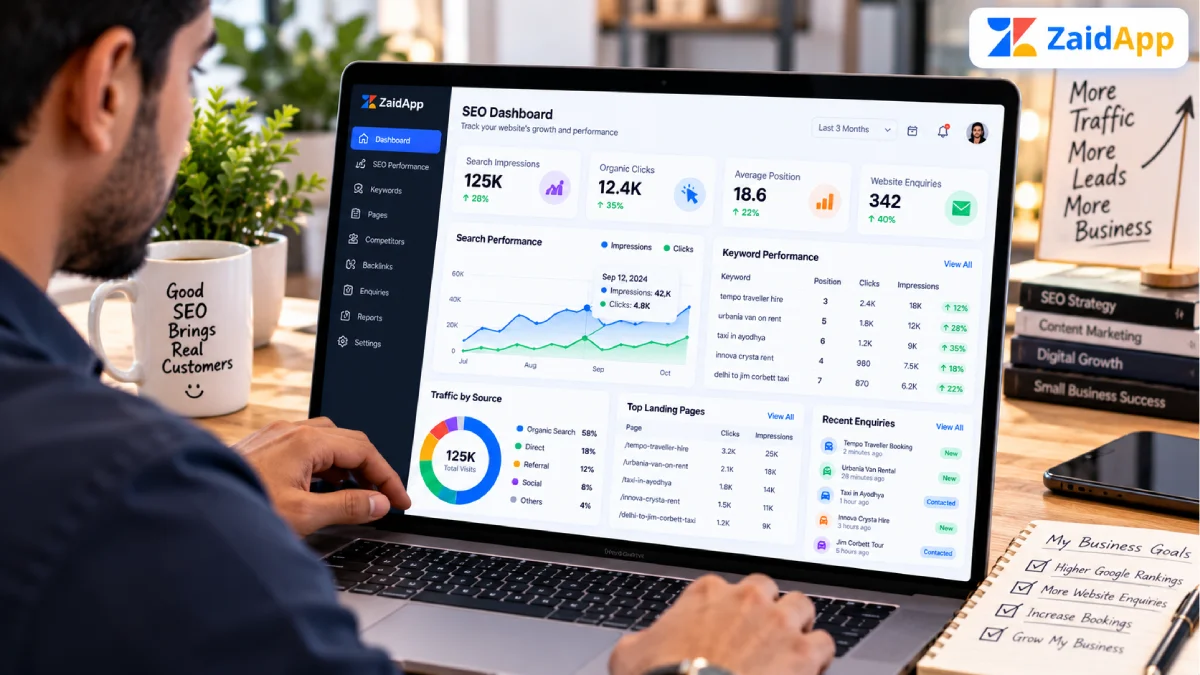
Organic clicks and impressions.
Search queries bringing visitors to your website.
Performance of key service pages.
Relevant enquiries and conversions.
Indexing issues affecting important pages.
Technical errors and website availability.
Use Google Search Console to examine search visibility. If you have configured Google Analytics or another analytics platform, use it to understand what visitors do after reaching your website.
Do not judge progress by a single keyword position. Search results fluctuate, and different queries can produce different outcomes.
Instead, look for sustained improvements in relevant traffic, useful engagement and qualified enquiries.
Common SEO Mistakes to Avoid
Even simple SEO improvements can be undermined by common mistakes.
Keyword Stuffing
Repeating keywords unnaturally can make content difficult to read. Use relevant terms in context and focus on answering the visitor's question.
Publishing Thin or Duplicate Content
Pages with little useful information or substantial duplication may provide limited value. Improve each page with original, relevant information instead of publishing large numbers of near-identical pages.
Ignoring Technical Accessibility
Important pages should return appropriate HTTP responses, be accessible to search engines and use sensible canonical settings. Check for accidental noindex directives and unintended robots.txt restrictions.
Creating Unnecessary Location Pages
Publishing dozens of city pages with nearly identical content can create a poor experience. Build location pages when you have meaningful, accurate information that genuinely helps customers in those areas.
Expecting Immediate Rankings
SEO changes can take time to be discovered and evaluated. Avoid promises of guaranteed rankings or fixed traffic increases.
Ignoring Conversion Opportunities
More traffic is not necessarily better if visitors cannot find your services or contact your business. Make your next steps clear, with relevant service information and accessible enquiry options.
How to Measure SEO Progress
A simple monthly review can help you stay focused.
Metric | What it tells you | Where to review it |
|---|---|---|
Organic clicks | Visits generated from Google Search | Google Search Console |
Impressions | How often your pages appeared in search results | Google Search Console |
Search queries | Terms associated with your search visibility | Google Search Console |
Indexing status | Whether pages are indexed or have reported issues | Search Console Page Indexing |
Conversions | Enquiries or other important actions | Your analytics or lead-tracking system |
Page performance | Opportunities to improve loading and responsiveness | PageSpeed Insights |
Compare performance over meaningful periods and consider seasonality, website changes and changes in search demand.
For a structured review, use the website SEO audit checklist alongside your regular performance checks.
Conclusion
SEO does not have to be overwhelming for small business owners. Start with the fundamentals: understand your customers' searches, improve important page titles, publish helpful content, maintain a mobile-friendly website and monitor your performance.
If you serve a specific area, optimize your Google Business Profile and build useful local content. As your website grows, strengthen internal linking, earn relevant backlinks and address technical issues that prevent search engines from accessing or understanding your pages.
The most effective approach is consistent improvement based on real data rather than shortcuts or ranking guarantees.
Need help improving your business website? Explore ZaidApp's digital marketing services and website development services to learn how professional website and marketing support can fit your business goals.


Comments
No comments yet. Be the first to comment!