
Introduction
A degree can help you qualify for an opportunity, but showing what you can actually do can make your application more convincing. Whether you are a college student, aspiring web developer, graphic designer, digital marketer or freelancer, a professional online portfolio can help you present your skills to potential employers and clients.
A student portfolio website is a personal website where you showcase your projects, skills, education, achievements and experience. Instead of sending several separate files whenever someone asks about your work, you can share a single link containing your best projects and professional information.
The good news is that you do not need years of experience or a large budget to get started. You can build a simple portfolio using website builders, WordPress, HTML and CSS, or modern frameworks such as React and Next.js.
In this guide, you will learn how to plan, build, design and optimise a student portfolio website in 2026. You will also discover which pages to include, which tools to consider, how to showcase projects without professional experience, and how to make your portfolio easier to discover online.
What Is a Student Portfolio Website?
A student portfolio website is a personal online space that presents a student's work, abilities, educational background and career goals. It can be used when applying for internships, jobs, freelance projects, scholarships or further education.
Unlike a traditional résumé, which usually summarises experience in a document, a website can demonstrate skills through interactive projects, live demonstrations, screenshots, case studies, writing samples and links to completed work.
For example:
A computer science student can showcase coding projects and GitHub repositories.
A graphic design student can display branding concepts, illustrations and visual designs.
A digital marketing student can present campaign plans, SEO audits and content samples.
A business student can share research projects, presentations and case studies.
The purpose is straightforward: make it easy for someone to understand what you can do and how to contact you.
A portfolio does not need to be complicated. A clear homepage, an organised project section, an introduction and contact information are enough to create a useful first version.
Why Students Should Build a Portfolio Website
1. Showcase practical skills
Employers and clients often want evidence that a candidate can apply their knowledge. A portfolio gives you a place to demonstrate that ability.
For example, a student who has learned HTML, CSS and JavaScript can publish a responsive landing page or a small web application. The project provides a practical demonstration of their skills beyond a list of technologies on a résumé.
2. Improve internship and job applications
A portfolio can support your application by providing additional context about your work. Recruiters can explore your projects, understand your role and review the decisions behind your work.
It does not guarantee an interview or a job, but it can make your application more informative.
3. Start freelancing with a professional presence
Students interested in freelancing can use a portfolio to explain their services and show sample work. Potential clients can review relevant examples before contacting them.
If you are exploring freelance opportunities, you can also read ZaidApp's guide on how students can start freelancing with zero experience.
4. Build your personal brand
A personal website gives you control over how your work is presented. You can choose your domain name, visual style, project descriptions and professional introduction.
As your skills grow, you can update the same website with new projects, certifications and achievements.
5. Learn valuable digital skills
Creating a portfolio can become a learning project in itself. Depending on how you build it, you may gain experience with responsive design, content writing, accessibility, SEO, analytics, hosting and domain management.

What to Include on a Student Portfolio Website
Before choosing a technology or designing the homepage, decide what visitors need to know about you.
1. Homepage
The homepage should explain who you are, what you do and what visitors can explore next.
Include a clear headline, a short introduction, a link to your projects and a contact button.
For example:
Headline: Aspiring Frontend Developer Building Modern Web Experiences
Supporting text: I am a computer science student learning React, Next.js and responsive web design. Explore my projects, technical skills and development journey.
Avoid vague introductions such as “Welcome to my website.” Use the first section to communicate your professional direction.
2. About Me page
Introduce yourself and explain your interests, educational background and career goals.
You do not need to share private information such as your home address, personal identification details or unnecessary personal history. Focus on details relevant to your professional development.
3. Projects page
Your projects are often the most valuable part of your portfolio.
For every project, include:
Project name and purpose
The problem you wanted to solve
Your responsibilities
Technologies or tools used
Screenshots or a working demonstration
A source-code link, when appropriate
What you learned or improved
Two or three well-explained projects can be more useful than a long list of unfinished experiments.
4. Skills and tools
List the skills relevant to your career goal. A frontend developer might include HTML, CSS, JavaScript, React and Git. A graphic designer might highlight Figma, typography, layout and branding.
Be honest about your proficiency. If you are still learning a technology, describe it as a learning skill rather than presenting yourself as an expert.
5. Résumé or CV
Add a downloadable résumé if it helps visitors understand your education, experience and qualifications.
Keep the information consistent between your résumé and website. Review the file periodically so visitors do not receive an outdated version.
6. Contact section
Provide a professional email address or a contact form. You can also link to relevant professional profiles, such as LinkedIn or GitHub.
If you publish a contact form, protect it against spam and explain how submitted information will be used.
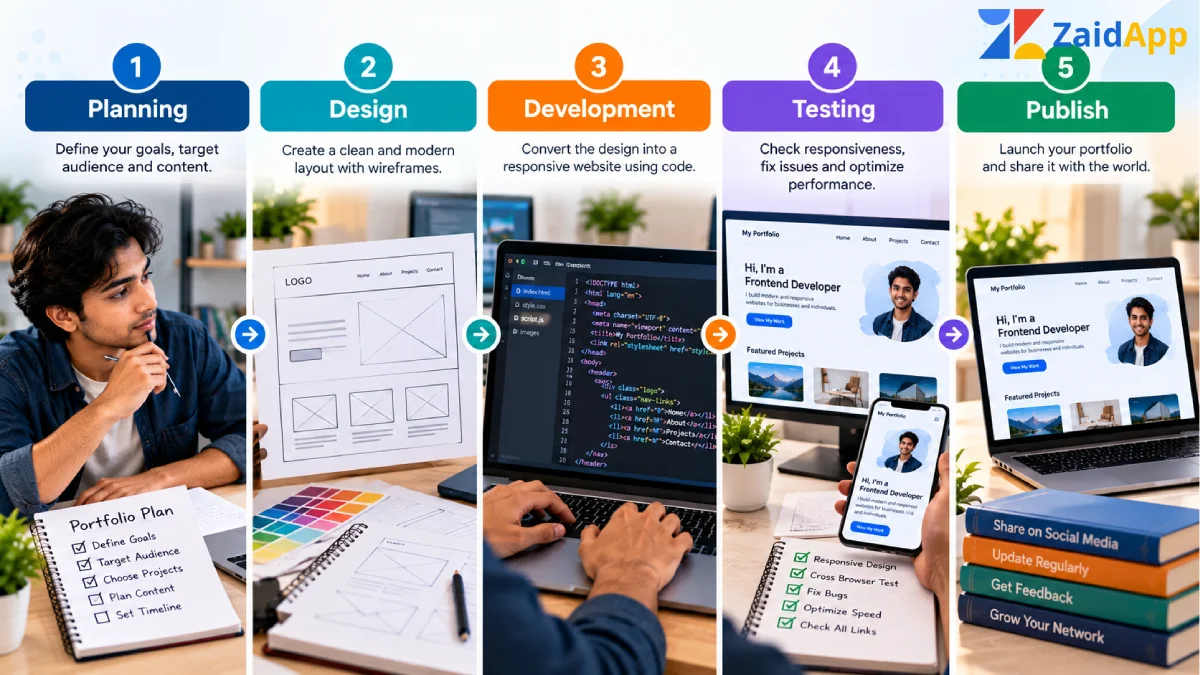
How to Build a Student Portfolio Website Step by Step
You can create a portfolio in several ways. The following process works whether you use a website builder, WordPress or a custom-coded website.
Step 1: Define your goal
First, decide what you want your portfolio to achieve.
Are you applying for internships? Looking for your first job? Seeking freelance clients? Showcasing academic projects? Your answer will influence the site's structure and content.
For instance, a design student should prioritise visual projects, while a web developer should make live demos and source-code repositories easy to access.
Write one sentence that describes your goal before you start designing.
Step 2: Choose a domain name
A domain name gives your portfolio a professional web address.
Whenever possible, choose a short, memorable name that is easy to spell. A personal-name domain is often a sensible option for a portfolio that you intend to maintain throughout your career.
Check the domain's availability and renewal price before purchasing it. Avoid unnecessary numbers, complicated spellings and names that could be confused with another person's brand.
If you are not ready to buy a domain, start with a free hosting address and connect a custom domain later.
Step 3: Choose the right platform
The best platform depends on your budget, technical skills and desired flexibility.
Platform | Best suited for | Main consideration |
|---|---|---|
WordPress | Students who want flexible pages and content management | Hosting, themes and maintenance |
Wix or similar website builders | Beginners who prefer visual editing | Plan limits and customisation |
HTML, CSS and JavaScript | Students learning web fundamentals | Requires coding and manual updates |
React or Next.js | Developers building interactive, custom websites | Requires more development knowledge |
GitHub Pages | Simple static portfolio projects | Designed for static sites and supported deployment workflows |
Do not choose a complex framework simply because it is popular. If your main goal is to publish your projects quickly, a simpler platform may be sufficient.
If you want to demonstrate your coding abilities, building the site yourself can become one of the projects in your portfolio.
Step 4: Plan the website structure
Create a simple sitemap before writing code.
A beginner-friendly portfolio could use this structure:
/— Homepage/about— Introduction and background/projects— Project collection/resume— Résumé and qualifications/contact— Contact details or form
You do not necessarily need a separate page for every section. A single-page portfolio can work well when the amount of content is limited.
Organise the navigation around what visitors want to find rather than adding pages just to make the website appear larger.
Step 5: Design the layout
Start with a simple wireframe. Decide where the headline, introduction, project cards, skills and contact section will appear.
Use consistent spacing, readable typography and a restrained colour palette. Make project images large enough to understand without overwhelming the page.
Design for mobile screens from the beginning. Visitors may open your portfolio from a phone while reviewing an application or a message.
Before adding animations, gradients or elaborate transitions, ensure that the content is easy to read and the navigation works correctly.
Step 6: Build and publish your first projects
If you have not worked with real clients, create projects that demonstrate the skills you want to develop.
A frontend developer could build a responsive product landing page, a task-management application or a weather dashboard. A graphic design student could create a fictional brand identity, packaging concept or social media campaign.
Clearly label self-initiated or fictional projects. Do not claim that a concept project was commissioned by a real business.
For each project, explain your process and the decisions you made. The reasoning behind the work can be just as valuable as the final screenshot.
Step 7: Add useful content
Write your introduction in clear, natural language. Explain what you are learning, which problems interest you and what kind of opportunity you are seeking.
Avoid copying another developer's biography or filling the website with generic claims such as “I am passionate about innovation.” Specific information makes your profile more credible.
For example, explain that you enjoy building accessible interfaces, improving website performance or turning design concepts into responsive pages.
Step 8: Test the website
Before publishing, test the site on desktop and mobile.
Check:
Navigation links and project buttons
Text readability and spacing
Contact form behaviour
Image loading and sizing
Keyboard navigation and visible focus
Broken links and missing pages
Page speed and basic accessibility
HTTPS and the published domain
Test the site using real devices when possible. A page that looks correct in a desktop preview may still have layout problems on a small screen.
Step 9: Publish and share your portfolio
After testing, publish the website and confirm that it works at its final URL.
Add the link to your résumé, professional profiles, internship applications and relevant project repositories. When applying for an opportunity, share the projects most closely related to the role.
A portfolio is not finished forever. Treat it as a living project and update it whenever you complete meaningful work or develop a new skill.
Best Tools for Creating a Student Portfolio
You do not need to learn every tool available. Start with the tools that match your current skills and portfolio goals.
Design tools
Figma can help you plan page layouts, create wireframes and test design ideas before development. Students interested in UI and UX design can also use it to present design decisions and prototypes.
Development tools
Visual Studio Code is a commonly used code editor. Students learning frontend development can practise with HTML, CSS and JavaScript before progressing to React or Next.js.
Version control
Git and GitHub help you track changes, maintain repositories and share code. A well-organised repository can provide additional context about how you built a project.
Hosting tools
Static hosting services can be suitable for HTML, CSS and JavaScript portfolios. More complex websites may need a platform that supports server-side code or a framework-specific deployment process.
For official guidance, see GitHub Pages documentation and the MDN Web Docs, which offers learning material for web development.
For students who want to explore modern website frameworks, ZaidApp also has a guide to learning web development in 2026.
Student Portfolio Website Examples by Career
A useful portfolio should reflect the work you want to do. Here are some project ideas for different fields.
Portfolio for a web development student
Include a responsive landing page, a small interactive application and a project using an API or database. Add links to live demos and code repositories where possible.
Explain the technical decisions behind each project, including responsive behaviour, performance improvements or accessibility considerations.
Portfolio for a graphic design student
Show branding concepts, typography experiments, posters, illustrations and social media designs. Use clear project descriptions and consistent image presentation.
If a project is fictional, identify it as a concept so visitors understand its context.
Portfolio for a digital marketing student
Include sample SEO audits, keyword research, content plans, analytics reports or campaign strategies. Remove private client information and clearly label simulated results.
Explain your process and the metrics you would use to evaluate a campaign.
Portfolio for a business student
Showcase research projects, presentations, business plans, market analysis and case studies. Describe the question you investigated, your methodology and the conclusions supported by your findings.
Website Design Tips for Students
A professional portfolio does not need expensive effects. The goal is to make your work easy to understand.
Keep the design focused. Use a consistent colour palette, clear headings and a predictable layout. Avoid excessive animations and distracting backgrounds.
Make project links obvious. Use descriptive labels such as “View Live Project” and “Explore Source Code” instead of vague links.
Use real project screenshots. Show the actual interface or work you created. Optimise the images so they load quickly.
Prioritise mobile usability. Ensure that text, cards, navigation and buttons work on smaller screens.
Pay attention to accessibility. Provide meaningful alternative text for informative images, maintain sufficient colour contrast and make interactive elements usable with a keyboard.
Write concise project descriptions. Explain the challenge, your contribution and the outcome. Avoid long paragraphs that make it difficult to scan your work.
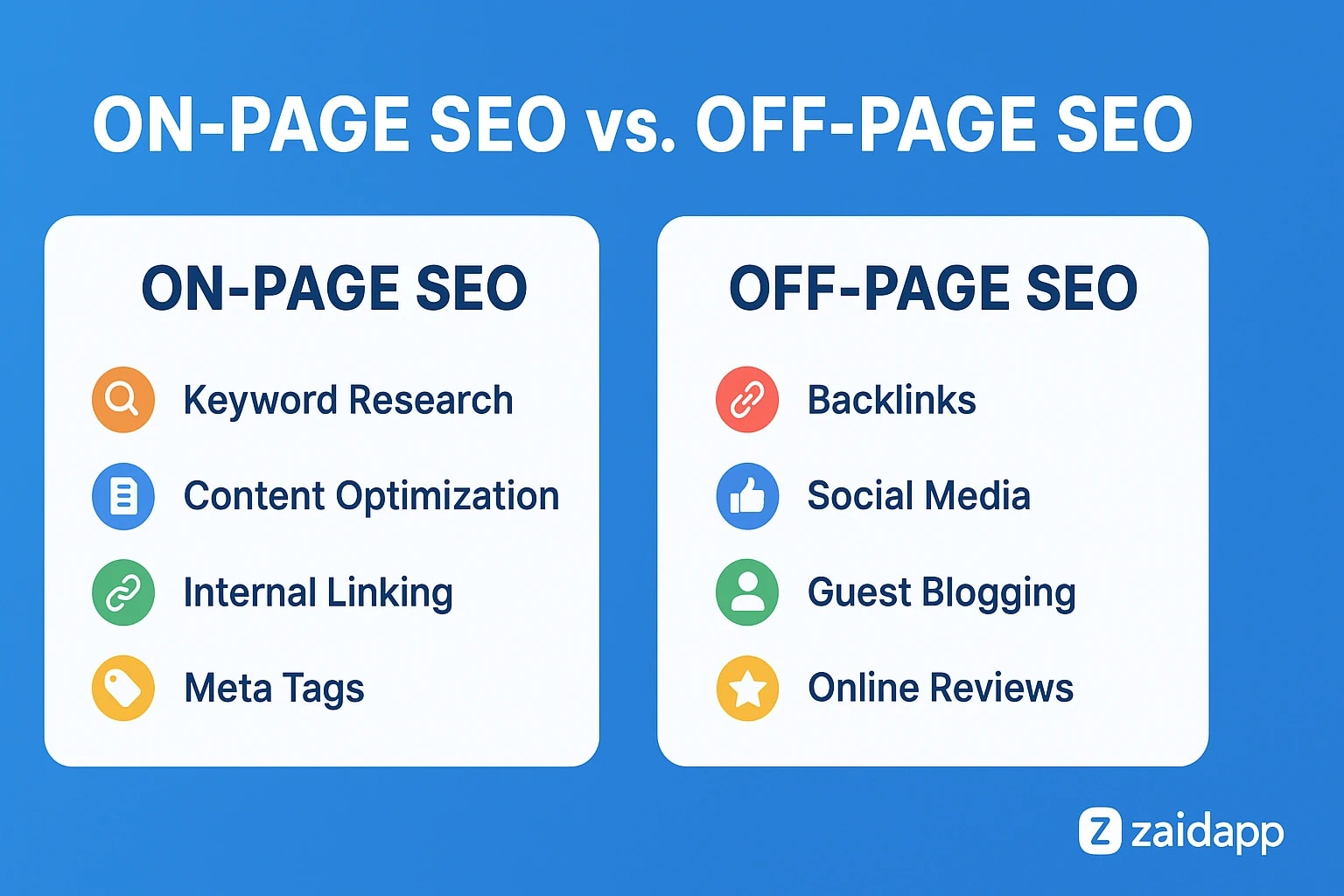
SEO Tips to Help People Find Your Portfolio
A portfolio can be useful even if it does not receive search traffic. However, basic SEO helps people understand your website and can make relevant pages eligible to appear in search results.
1. Write a descriptive page title
Use a title that describes your name, role or specialisation.
For example: “Aarav Sharma | Frontend Developer Portfolio.”
Avoid repeating the same keyword several times. Titles should accurately describe each page.
2. Create a useful meta description
Write a short summary explaining what visitors will find. A homepage description might mention your role, core skills and selected projects.
Google may generate a different search snippet depending on the query, so a meta description is a useful summary rather than a guarantee of the exact text displayed.
3. Use clear headings and URLs
Use a single descriptive main heading and logical subheadings. Keep URLs short and meaningful, such as /projects or /about.
4. Optimise images
Compress portfolio images and use descriptive filenames. Add meaningful alt text when an image conveys information. Decorative images should not have unnecessarily repetitive descriptions.
5. Add relevant links
Link to your GitHub repositories, professional profiles and project demonstrations. Make sure the links work and that you have permission to share any work displayed.
6. Check indexing and performance
Verify that important pages are accessible to search engines. Review page speed, mobile usability and broken links. If appropriate, use Google Search Central to learn about SEO fundamentals.
Do not expect a new portfolio to rank immediately for broad terms such as “web developer.” A specific, useful project page may be more relevant to a narrow search, but search performance depends on many factors.
Common Mistakes to Avoid
Students often make their first portfolio harder to evaluate by trying to do too much at once.
Showing unfinished work without context: Explain what is complete, what remains in progress and what you learned.
Copying templates without customising them: Templates are useful starting points, but your projects and writing should reflect your own work.
Inventing experience: Do not claim clients, qualifications, results or professional roles you do not have.
Ignoring mobile screens: Test layouts and interactive features on smaller devices.
Publishing private information: Remove passwords, API keys, private client details and personal information that does not belong online.
Overloading the homepage: Highlight your strongest work instead of presenting every experiment at once.
Never updating the website: Review the portfolio periodically and remove broken links or outdated information.
Using unnecessary technical complexity: Choose tools that help you finish and maintain the website rather than making the project difficult to manage.
How Much Does a Student Portfolio Website Cost?
The cost depends on how you build the website and which features you need.
Option | Typical cost considerations |
|---|---|
Free hosting with a provided subdomain | May be sufficient for a basic static portfolio |
Custom domain | Registration and renewal fees vary by extension and provider |
Website builder | Free and paid plans may have different features and limitations |
WordPress website | Hosting, domain, themes and optional plugins |
Custom-coded portfolio | Hosting and domain, plus your own development time or professional development costs |
These are cost categories, not fixed prices. Check current pricing, renewal fees, storage limits and commercial-use terms before choosing a service.
If you are learning web development, a simple static portfolio can be an excellent first project. You can begin with a small website and expand it when you have more projects or need additional functionality.
If you prefer a professionally designed website, a developer can help with custom design, responsive development, performance, SEO and deployment. The appropriate budget depends on the scope of the work.
Conclusion
A student portfolio website is a practical way to demonstrate your abilities, document your progress and build a professional online presence. You do not need a large budget or an extensive work history to begin. A clear introduction, a few strong projects and working contact links can provide a useful foundation.
Start by choosing your career goal, selecting a suitable platform and publishing work that reflects your current skills. Focus on usability, honest project descriptions, mobile responsiveness and basic SEO. As you gain experience, improve the website with new projects and better explanations of your work.
The most important step is to publish a useful first version and keep improving it. Your portfolio should grow alongside your skills and help people understand not only what you have built, but also how you approach problems.
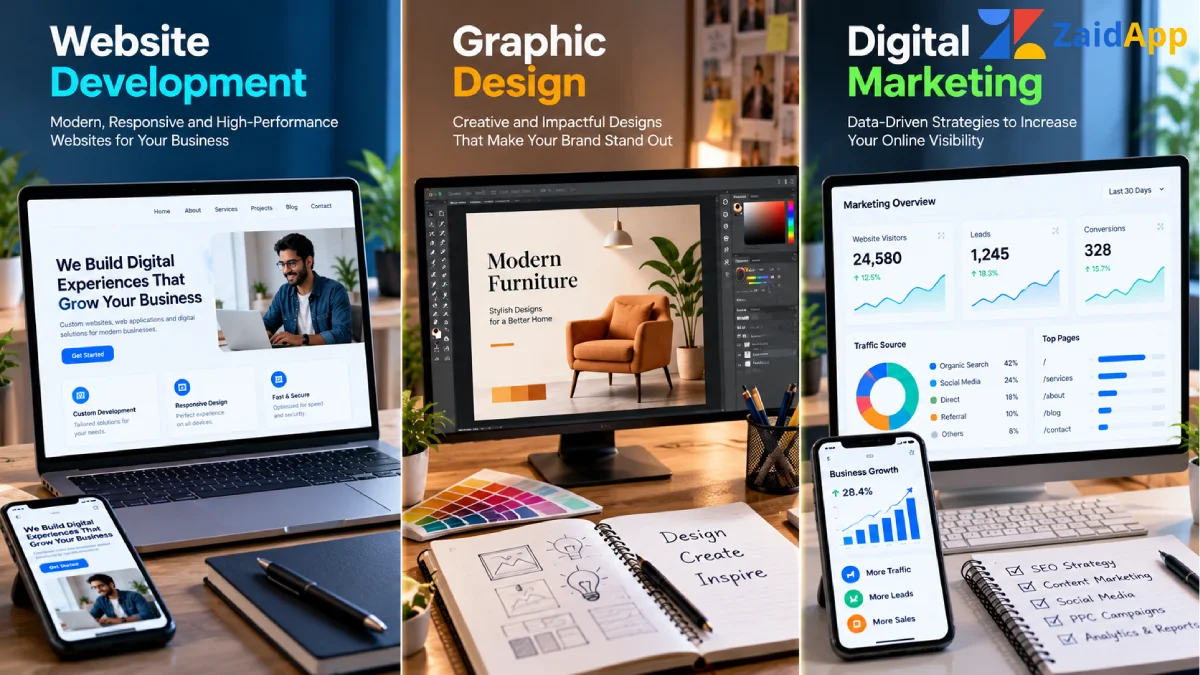
Ready to build a professional website? Explore ZaidApp's website development services to learn more about website design and development for personal brands and businesses.


Comments
No comments yet. Be the first to comment!