A WordPress to Next.js migration SEO strategy is the difference between keeping 90% of your organic traffic and losing 40–70% of it in the first month. Next.js routinely delivers Lighthouse scores above 95 for content that struggled to break 50 on WordPress—but the migration itself is where rankings die, not because Next.js is bad for SEO, but because the process breaks the signals Google relies on.
Done right, a WordPress to Next.js migration SEO process keeps your rankings intact through the cutover and often exceeds your old baseline within 8–12 weeks thanks to faster Core Web Vitals. Done wrong, you spend the next year clawing back traffic you already earned. This guide gives you the exact playbook ZaidApp uses on client sites—from the pre-migration audit to the 30-day post-launch monitoring window.
Why Most WordPress to Next.js Migration SEO Projects Fail
Google does not care whether you run WordPress or Next.js. It cares about continuity—that every URL, every piece of metadata, and every schema block is accounted for after the switch. Most WordPress to Next.js migration SEO failures come from three missed signals:
The Redirect Gap. The single most common cause of ranking loss is incomplete redirect coverage. If you have 500 indexed URLs on WordPress and your redirect map only covers 400, those 100 orphaned URLs become 404s—and Google deindexes them within days. A 10–15% gap in redirect coverage can produce measurable traffic losses within 30–60 days.
Metadata Wipeout. Plugins like Yoast and RankMath store title tags, meta descriptions, and canonical URLs in the WordPress database. When you rebuild in Next.js, none of that comes with you automatically. Every page needs its metadata explicitly set in the new codebase.
Schema Disappearance. Supported rich results—breadcrumbs, review stars, product details, article metadata—depend on valid structured data that WordPress plugins often generate automatically. In Next.js, you must implement JSON-LD manually for every template. Miss one, and those enhancements vanish from search.
The fix is a disciplined, signal-by-signal migration process. Here is the playbook.
Step 1: Build a Complete Pre-Migration Audit (Before You Touch Code)
The biggest cause of post-migration traffic loss is missed inventory—URLs that ranked but were forgotten during the rebuild. Before you write a single line of Next.js code, collect:
Every URL with traffic in the last 12 months. Pull from Google Search Console (Performance → Pages → 12-month export) and Google Analytics. Sitemaps lie—they often miss old posts that still rank.
Every URL with inbound links. Use Search Console (Links → Top linked pages) and a backlink tool like Ahrefs or Semrush. Old URLs with good links must redirect to specific new URLs, never to the homepage.
For each URL: title, meta description, H1, canonical, status code, organic traffic, and impressions. Save this baseline. It is how you will prove, a month later, whether the WordPress to Next.js migration SEO work paid off.
Every piece of structured data the site emits. Article schema, Product, FAQPage, BreadcrumbList, LocalBusiness—page-by-page if necessary. Check existing rich results in Search Console's Enhancements section; those must keep working after cutover.
Tool shortcut: Use a crawler like Screaming Frog or Sitebulb to export the full inventory in one pass. If you need a quick, free way to validate your new XML sitemap after the build, you can generate and test a sitemap instantly with our free sitemap generator on ZaidTools—no signup required.
Step 2: Build the 301 Redirect Map (The Single Biggest SEO Decision)
If you get one thing right in this WordPress to Next.js migration SEO process, make it the redirect map. Get it wrong and you spend a year recovering. Get it right and you keep most of your rankings within two weeks.
The rules that win:
Every old URL with traffic or links → 301 to the most relevant new URL. Never 302, never to the homepage as a default. A bulk old-URL-→-homepage redirect is a soft 404 in Google's eyes and tanks rankings.
Preserve URL structure where you can. If your WordPress slugs are already clean (
/blog/post-slug), keep them. The cleanest migration is the one where most URLs don't change.Handle WordPress's edge cases. Tag pages, category archives, author archives, attachment URLs, paginated archives (
/page/2/). Decide which to keep, which to merge, which to drop—and redirect every URL with even one inbound link.Eliminate redirect chains. If URL A redirects to B, and B redirects to C, fix it so A goes directly to C. Chains waste crawl budget and dilute link equity.
Pick one trailing-slash convention and redirect the other. WordPress defaults to trailing slashes; Next.js defaults to none. Do not leave both live.
Implementing redirects in Next.js: For up to a few hundred redirects, the cleanest place is next.config.mjs. For 200–5,000, use a JSON file loaded by redirects(). Above 5,000, move to Edge Middleware reading from a KV store—trying to compile 50,000 entries in redirects() will slow your build to a crawl.
Quick validation: After you build the redirect map, test a sample of your most valuable old URLs using a free HTTP status checker on ZaidTools to confirm every 301 resolves to a 200 destination without chains.
Step 3: Recreate Every On-Page SEO Signal in Next.js
Redirects handle the URL layer. Now you must carry over the metadata and schema that Google has already indexed. This is where most WordPress to Next.js migration SEO projects quietly lose ground.
Metadata: In the Next.js App Router, use the Metadata API (generateMetadata()) to render title tags, meta descriptions, and canonical URLs server-side. Export Yoast's overrides from WordPress and feed them into your new CMS's SEO fields—do not regenerate from scratch. Google has indexed the existing titles; abrupt rewrites cost CTR.
Canonical tags: Every page on your new Next.js site must have a self-referencing canonical pointing to the new URL, not the old WordPress URL. Check protocol (https, not http), domain, and trailing-slash consistency.
Structured data (JSON-LD): Map every schema type from WordPress to a Next.js template or layout component. Validate every implementation with Google's Rich Results Test before launch.
Headings, alt text, and internal links: Preserve H1 structure, image alt text, and internal link anchors exactly where possible. Broken internal links become orphaned pages that Google cannot find.
SaaS shortcut: If you want to confirm that your new Next.js templates are not introducing accidental noindex tags or blocking critical CSS/JS in
robots.txt, run a quick free technical SEO audit on SpeedAudit AI. The 30-second scan catches the most common post-migration indexation killers.
Step 4: Turn Next.js Performance Into a Ranking Advantage
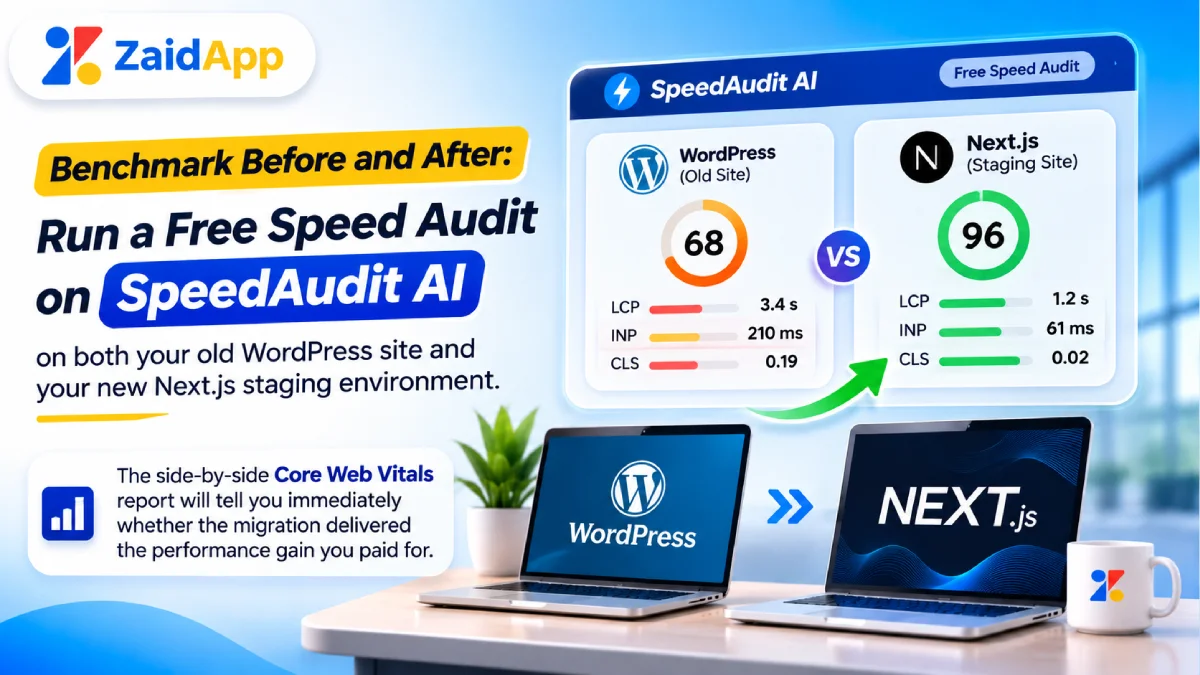
The entire point of moving to Next.js is performance. A WordPress to Next.js migration SEO strategy that ends up slower than the original site is a failed migration. Here is where Next.js gives you an edge—if you configure it correctly.
Rendering strategy matters. Use Static Site Generation (SSG) or Incremental Static Regeneration (ISR) for marketing pages and blog posts. SSG delivers near-instant TTFB (~50ms) from the edge, which is the foundation for a good LCP score. Reserve Server-Side Rendering (SSR) for pages that need real-time personalization.
Core Web Vitals targets to hit:
Metric | Target | What kills it in Next.js |
|---|---|---|
LCP (Largest Contentful Paint) | ≤ 2.5s | Render-blocking CSS/JS in |
INP (Interaction to Next Paint) | ≤ 200ms | Heavy event handlers blocking the main thread, hydration jank, expensive React reconciliation on large trees |
CLS (Cumulative Layout Shift) | < 0.1 | Images without explicit dimensions, fonts loading late, ads or embeds injected without reserved space |
Next.js-specific fixes: Use next/image with the preload property (Next.js 16) or priority (Next.js 15) on the hero image so the browser fetches it from the first HTML chunk. Stream server components with <Suspense> so slow data does not block the initial paint. Minimize client-side JavaScript on content pages—every kilobyte of hydration is an INP risk.
Step 5: Launch Clean and Monitor for 30 Days
Before launch: Crawl your Next.js staging site and compare it against the WordPress baseline. Every URL should have a matching redirect or a 1:1 equivalent page. Every title, meta description, and canonical should match.
On launch day: Submit a fresh XML sitemap to Google Search Console. The sitemap should include only 200-status, indexable pages—no redirects, no 404s, no noindexed pages. Verify robots.txt does not carry over a staging Disallow: / rule.
For 30 days after launch: Check Search Console daily. Watch for indexing coverage drops, crawl errors, and 404 spikes. The first 30 days are the recovery window—if you see problems, fix them immediately. This is the phase where most WordPress to Next.js migration SEO teams relax too early and lose the gains they fought for.
Ongoing monitoring: Once you are past the 30-day window, set up recurring speed audits on SpeedAudit AI to catch regressions before they affect rankings. The Pro plan's bulk URL auditing lets you monitor hundreds of pages at once—essential for large content sites or client portfolios.
The Bottom Line: Migrate Like a Surgeon, Not a Rebuilder
A WordPress to Next.js migration SEO project is not a redesign. It is a surgical transfer of every SEO signal Google has already indexed. The businesses that win are the ones that treat the redirect map, the metadata export, and the schema inventory as non-negotiable deliverables—not afterthoughts.
If you are planning a migration and want a team that has done this before, ZaidApp specializes in custom Next.js development for businesses in Delhi NCR and worldwide. We build with the SEO parity checklist baked into every sprint, so you get the performance of Next.js without the traffic cliff. Book a migration consultation with ZaidApp to map your redirect strategy and get a fixed-scope quote.
Related reading on ZaidApp:



Comments
No comments yet. Be the first to comment!